
Feature
Dirt Bike Hour Meter App And Service Log
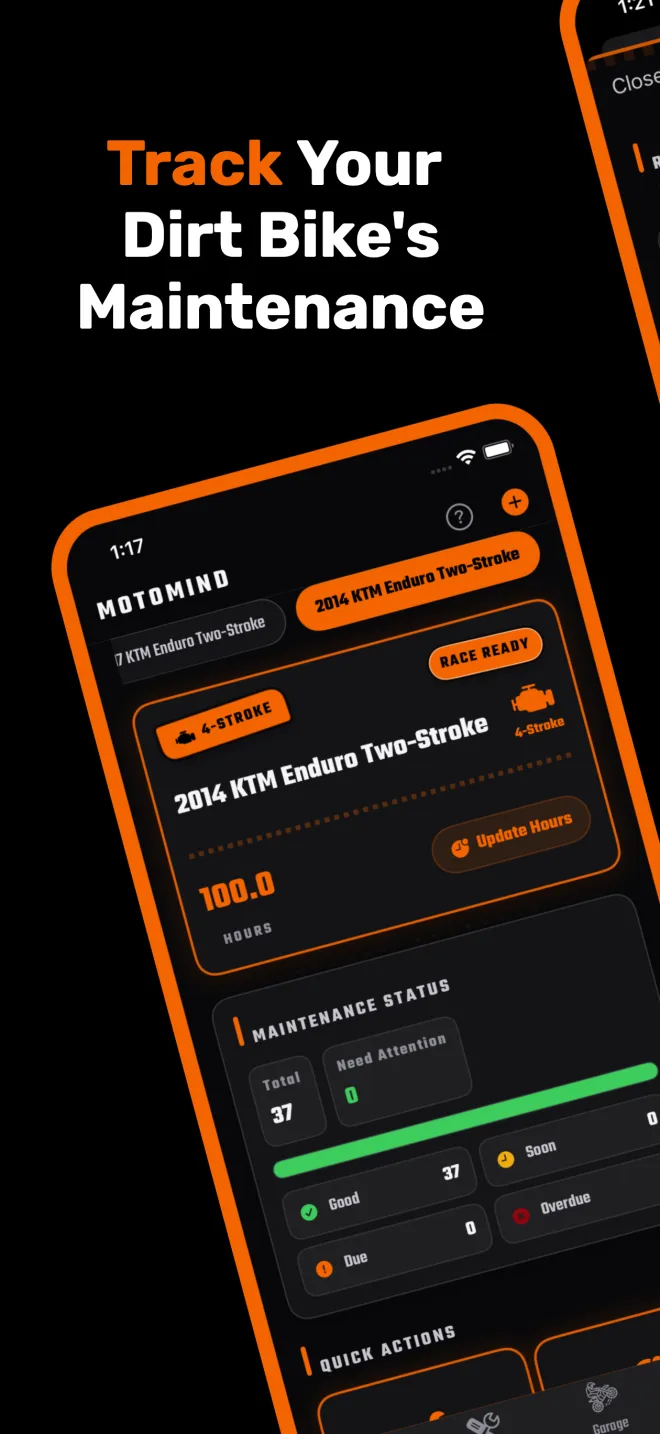
Dirt bike manufacturers write their service schedules in operating hours, not miles. MotoMind keeps your bike's hours, every completed service, and the next due point for each task in one place, so the hour meter reading actually turns into a plan.
At A Glance
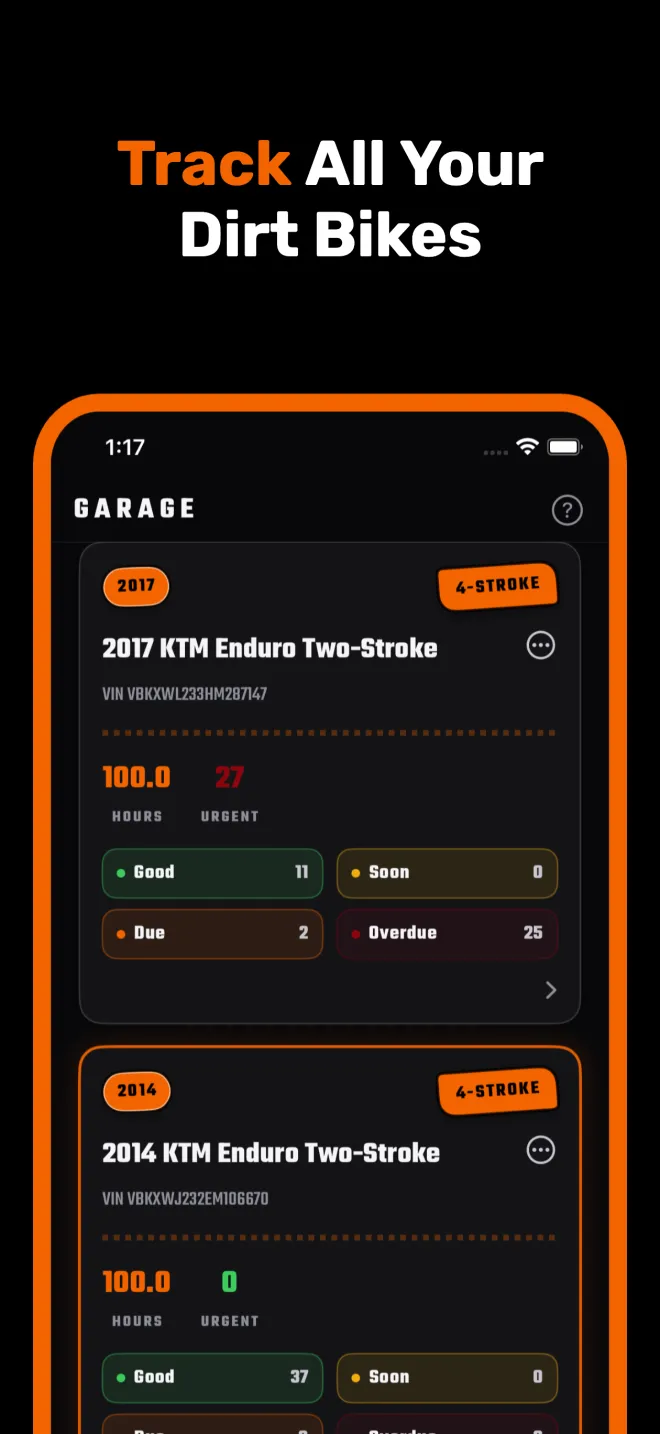
- Every bike in your garage has its own engine hours and maintenance schedule.
- Each task can repeat by hours, by calendar date, or both.
- Next due is calculated from the hours or date of the last completed service.
- Hours update manually or automatically from the GPS ride tracker.
Why Dirt Bike Service Runs On Hours
Off-road bikes rarely have odometers that mean anything for engine wear, so manufacturers schedule service by operating hours. As an example, the owner's manual for KTM's 2026 450 SX-F motocross race bike lays out its service schedule in columns for after one operating hour, every 15 operating hours, every 45 operating hours, every 90 operating hours and every 24 months. Engine oil and filter changes fall on the 15-hour line, and the valve clearance check and piston replacement fall on the 45-hour line.
That only works if you know your hours. A physical hour meter tells you the total, but it does not tell you that your last oil change was 13.5 hours ago or that the fork service is coming up. That gap is what MotoMind fills.
How MotoMind Tracks Hours
- Manual updates. Open the bike in your garage and tap Update Engine Hours to enter the reading from your hour meter.
- Ride tracker. Start a ride in the Ride tab. When you save it, the elapsed ride time is added to the bike's hours and the GPS distance to its miles. Elapsed time includes stops, so if your bike has an hour meter, use its reading as the source of truth.
- Hours or miles per bike. Each bike can be tracked by hours or by miles, so a dual sport and a race bike can live in the same garage.
How The Service Log Works
Every maintenance task carries an hour interval, a date interval, or both. When you log a completed service, MotoMind records the date, the hours at completion, notes, parts and cost, then calculates the next due point by adding the interval. Each task shows as good, upcoming, due now or overdue, and push reminders cover date-based items before they come due, on the due day, and when they are overdue.
Intervals are editable. Start from MotoMind's defaults for your engine type, then match them to the schedule in your owner's manual. Our model-by-model maintenance schedules list the manual intervals for popular bikes so you can set them up quickly.
Reminders By Hours And Date
MotoMind supports hour-based alerts and date-based reminders. With notifications enabled, it checks hour-based service after you update hours or save a ride. Date-based jobs can remind you before the due date, on the due day and when overdue.
Keep the bike’s hours up to date for accurate alerts. MotoMind does not read a hardware hour meter continuously. You can also enable a weekly hours check-in and give a task both an hour interval and a date interval.
Bring Your Old Records With You
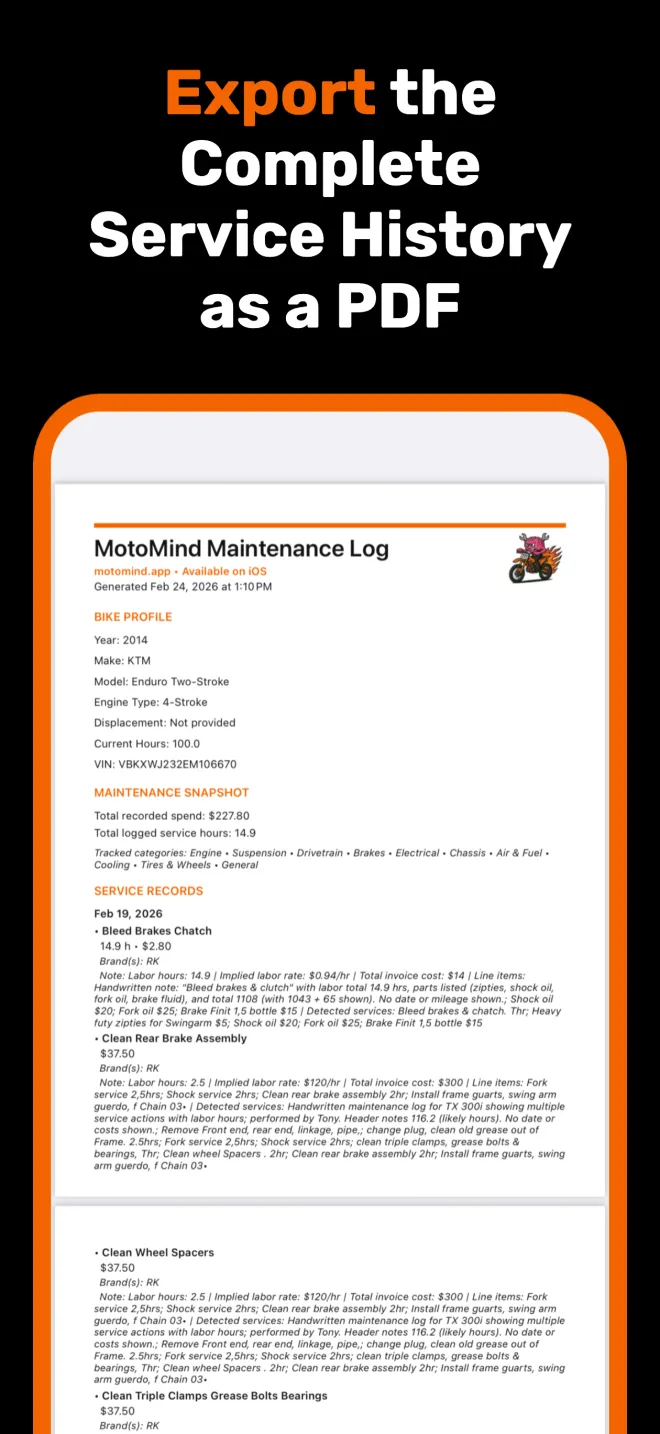
If your service history lives in a notebook, a shop invoice or a PDF, import it. MotoMind reads photos and PDFs, prepares the maintenance entries, and lets you review each one before it is saved. When you sell the bike, export the full service history as a PDF for the buyer.
Hour Meter App Or Physical Hour Meter?
Use both if you can. A wired hour meter counts engine running time precisely. MotoMind turns that number into a schedule with due and overdue status and a service history. If your bike has no meter, the ride tracker gives you a consistent ride-time estimate that is far better than guessing, and you can correct it at any time.
FAQ
Can MotoMind replace a physical dirt bike hour meter?
MotoMind's ride tracker records elapsed ride time, including stops, and adds it to your bike's hours. That is a good estimate when you have no meter, but a wired hour meter measures engine running time more precisely. Many riders enter the meter reading in MotoMind and use the app for the schedule and service log.
How does MotoMind know when service is due?
Each task has an hour interval, a date interval, or both. MotoMind adds the interval to the hours or date of the last completed service and shows the task as upcoming, due now or overdue.
Does MotoMind send a push notification when hour-based service is due?
Yes. With notifications enabled, MotoMind checks hour-based service after you update hours or save a ride and can alert you when a task comes due. It also schedules reminders for date-based tasks.
Can I change the service intervals?
Yes. Intervals are editable per bike, so you can match them to your owner's manual or to how hard you ride.
Is the hour meter feature free?
Engine hour updates and the GPS ride tracker are included in the free version for one bike. Maintenance logging, schedules, multiple bikes, imports and PDF export need a MotoMind subscription ($1.99/week, $4.99/month or $29.99/year).
Turn Your Hours Into A Service Plan
MotoMind tracks your maintenance intervals automatically by engine hours, so you always know what is due next.